Save the source.
Scan pages, import files, write notes, or record a lecture. Keep each item in its course.
 mascot
A STUDY SYSTEM FOR YOUR OWN MATERIAL
Scan the page you marked up, save a lecture recording, or write a note. Mascot keeps the source beside editable study cards, then brings them back when it is time to review.
01 / THE STUDY LOOP
Turn class notes into your next study session. Keep the original close while you decide what is worth remembering.
Scan pages, import files, write notes, or record a lecture. Keep each item in its course.
Supported desktop AI can suggest cards, quizzes, guides, and plans. Read the source, then edit or reject anything that misses the point.
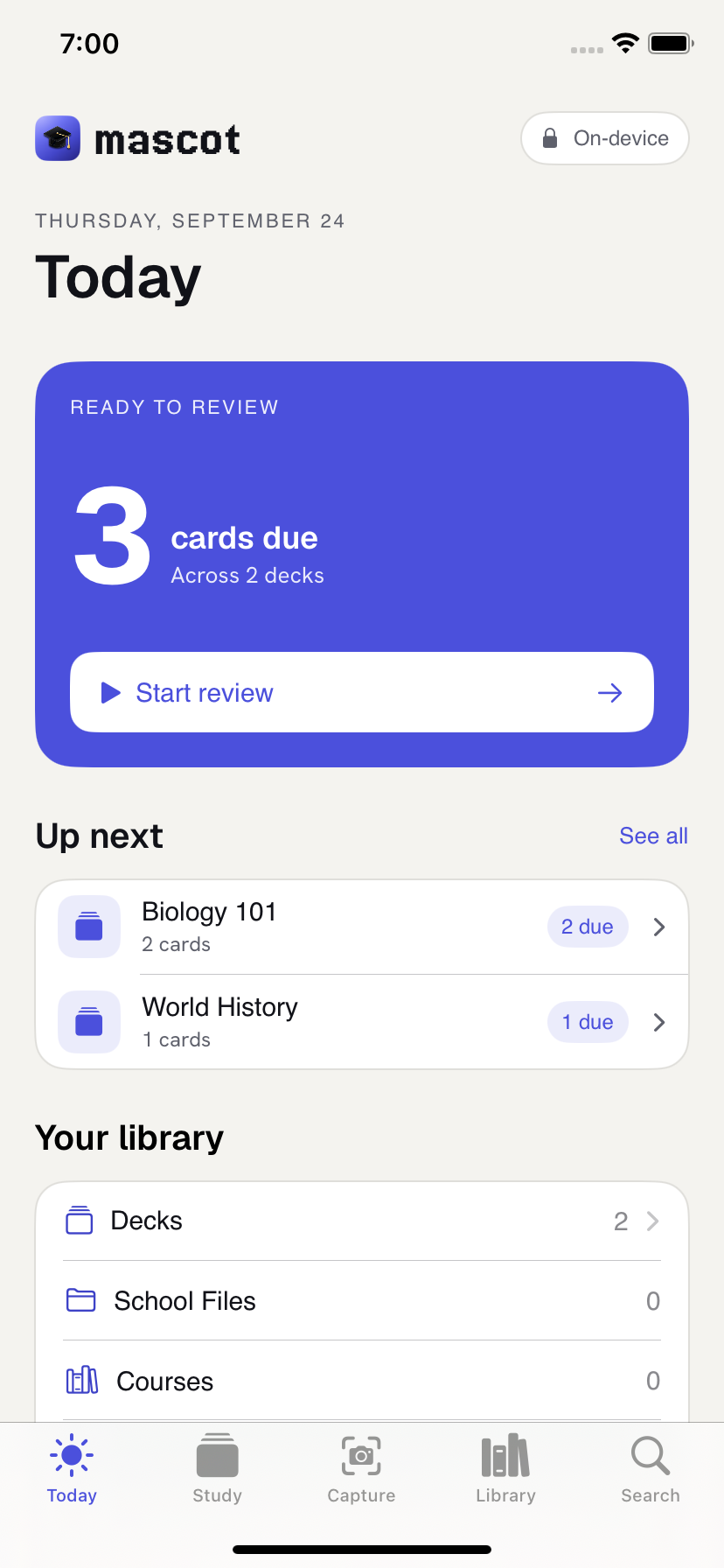
Study the cards you accepted. Your answers help schedule when each card should return.
02 / INSIDE THE WORKSPACE
Open the original page beside a suggested card. Correct the wording before it reaches your deck.
Illustrated workflow. Screen details and sample content may change during development.
Passive transport moves substances down a concentration gradient without cellular energy.
Your notes and files remain close to the study work they create.
Down a concentration gradient, without cellular energy.
Local AI proposes. You check the source and choose what enters your deck.
A real review on your device informs when the card returns.
03 / THE DETAILS THAT MATTER
Keep PDFs, scans, notes, and recordings organized by course with the original material available for reference.
Write directly or arrange ideas spatially. Move between your own thoughts and the sources behind them.
AI suggests drafts. Check the source, fix the wording, and accept only the cards you want to study.
Build flashcards and quizzes. Your answers help schedule the next useful review.
04 / ONE STUDY SYSTEM
Scan in class, work with sources at your desk, and review on the way home. Mascot is planned to launch together on macOS, iPhone and iPad, Windows, Linux, and Android.
Bring course material into a local workspace and shape it into study work.
In developmentCapture class material, make notes, and come back for review.
In developmentKeep the course library and study work at your desk.
In developmentWork with your material in a local desktop workspace.
In developmentCapture, make notes, and review on the move.
In developmentEach app is still being developed and tested. No platform has a public download yet.
No checkout. No activation gate. All apps · free while the experiment develops.
YOUR WORK05 / PRIVATE BY ARCHITECTURE
Mascot stores study material on your devices. Supported AI work runs locally, and direct sync is between devices you pair. You decide which drafts become part of your study library.
How data is handledSTRAIGHT ANSWERS
No public download is available yet on any platform. The release status below will change when verified downloads are ready.
That is the plan: macOS, iPhone and iPad, Windows, Linux, and Android are intended to release at the same time. Each platform still has its own development and validation work, so no date is promised yet.
No. The apps are free while Mascot develops as an experiment. There is no subscription or activation gate.
No. AI output is an editable draft. You can check its source, correct it, and accept or reject it.
RELEASE STATUS / SEPTEMBER 2026
Mascot is still in development. We plan to release macOS, iPhone and iPad, Windows, Linux, and Android together. No platform has a public download yet. Platform-specific testing, signed distribution, recovery, and support must be ready first.
Verified download links will appear here when the coordinated release is ready. No mailing list or access request form is offered today.